+971 50 634 3878 Sharjah, Dubai info@lifeguarddatarecovery.com

PowerPoint file recovery
PowerPoint File Recovery Experts right here in Sharjah, UAE. Losing all those hours of hard work on an important business presentation? Man, that feels like an instant disaster, stopping everything! But listen, data loss-whether it’s from a bad hard drive or the program crashing-doesn’t have to mean your file is gone forever. Here at Lifeguard Data Recovery, we’re experts at safely bringing back your most important digital stuff.
We’re the trusted guys for fast, safe, and complete PowerPoint file recovery solutions across the whole UAE. If you need to urgently recover deleted PowerPoint file data or fix a really messed-up file, our team gives you that guaranteed “everything is working” feeling and total peace of mind your company needs. We treat your files with the same critical care as if we were fixing a major problem with your building’s core systems.
We get back 99.9% of files. Our Engineers are Certified Pros | We’re here 24/7 for Emergencies | Zero-Risk Promise: No Data, No Fee!
Why Choose Lifeguard for Your Presentation Crisis
When your super-important presentation just vanishes-maybe because of a system crash, a massive mistake by someone, or a file that’s deeply broken-you need way more than just a quick software download. You need real detective work, what they call forensic expertise. Our way of handling PowerPoint recovery service is built on the simple rule that reliability is non-negotiable. Just like you’d only trust a top company to keep the air conditioning and power running smoothly in the tough UAE heat, you should trust Lifeguard to keep your data safe and sound. We totally get that your digital files are just as important to keep your business running as your big servers and physical office stuff.
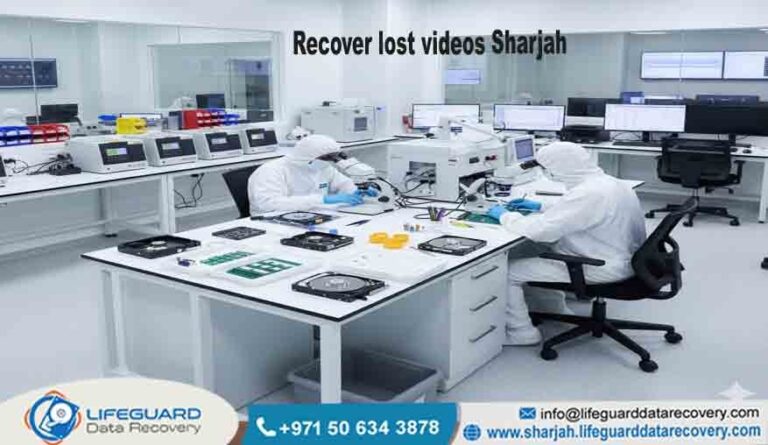
We easily mix thirty years of specialized experience from around the world with quick, local help, perfect for businesses and people right here in Sharjah and all the other Emirates. Our special, ISO-certified cleanrooms (that’s like a super-clean operating room) and our own secret tools let us fix those complicated, fractured files that generic recovery software just can’t read or handle safely. We don’t guess or use risky automatic methods; we guarantee results through a clear, checked process. When you choose us, you are choosing a partner who is 100% committed to keeping your business going. We make sure your data isn’t just fixed, but it’s professionally kept safe at every single step.
Because we stick to the highest standards, every single client who needs to recover PowerPoint file data gets the absolute best service model. We focus on making a perfect copy of your data first before we even try to fix anything. This is super important because if the original hard drive fails even more during the process, we still have a perfect copy to work from. This focus on protecting your data, plus our deep knowledge of how Microsoft Office files are built, makes Lifeguard the most reliable option when your business is facing serious data loss.
Full Range of PowerPoint Recovery Services We Offer
Our technical team can handle every kind of data loss problem, meaning we can solve any crisis that threatens your valuable presentations. We have highly specialized solutions for all file types, all computer systems, and all types of crashes. Whether you have a very old .PPT file or a newer, complex .PPTX version, we have the exact tools and detailed experience needed to reliably restore PowerPoint presentation files to their perfect, usable state. Our main goal is to quickly and securely bring back your presentation so you and your team can get back to work fast, with minimal delays.
Recovering Unsaved and Deleted Files: The Digital Rescue
We help tons of clients who need to recover deleted PowerPoint files that have been missed by the main Windows Recycle Bin, cleared out of those hidden temporary folders, or fully erased from a shared network. For those frustrating times when the program crashes suddenly, our file detectives (the forensic team) are specially trained to find and restore file versions that the normal PowerPoint AutoRecover feature didn’t catch or save properly. These leftovers are often deep inside the computer’s temporary memory or on parts of the drive marked for new data that needs specialized, deep-level analysis to pull out.
Fixing Corrupted and Unreadable Presentations: Putting the Pieces Back
The toughest jobs we see involve a completely corrupted PowerPoint file recovery. This happens when the file’s complex internal structure-like the computer code (XML), the file’s main header, and all the links to your media, is fundamentally broken. This broken structure stops the file from opening or makes it show error messages. We use specialized, low-level methods to skip over these bad parts, successfully pull out the core pieces (like the text, all the pictures, and any videos), and then carefully rebuild the entire presentation into a new, working PPTX file recovery. This careful, precise process is vital for making sure the data stays as perfect as possible, especially for presentations with detailed formatting and lots of large media files.
Supporting All File Formats and Systems
Our skills cover everything. We deal with both the older PPT format, which can have its own problems, and the modern, compressed format.PPTX format. We are also fully equipped to do PPT file recovery from every device you can think of: totally crashed desktop computers, broken external hard drives, corrupted corporate servers, and complex multi-drive RAID systems. This wide-ranging ability means Lifeguard can recover PowerPoint file data reliably, no matter what device it was on, what computer system you use, or how old the document is.
Our Clear and Simple 4-Step Process for PowerPoint Recovery
We created a very clear and risk-free recovery plan that is designed to be super efficient and give you total peace of mind. Our structured steps mean that from the moment you call us for our PowerPoint recovery service, you’ll know exactly what’s happening and feel confident about getting your file back.
Free Chat & Stop the Damage
The second you call us, our expert recovery team gives you immediate, specific, and useful advice to stop any more damage to your file. We collect all the key details-the type of file, the device it was on, and what exactly went wrong. Most importantly, we always tell you to immediately turn off the affected computer or server to protect those tiny, fragmented data pieces needed to recover deleted PowerPoint file information. This single step is the most critical thing to minimize the chance of your data being permanently overwritten.
Expert Check-Up & Fixed Price Promise
Once we safely receive your affected drive or file (often we pick it up for you), our certified engineers do a full, gentle check-up. This check-up is crucial: it finds the exact reason and the severity of the damage, whether it’s a simple broken file or a physical hard drive problem that needs our cleanroom. Based on this thorough check-up, we then give you a detailed report and a guaranteed, fixed-price quote for the whole PowerPoint file recovery service. We promise that the price won’t change, meaning you have absolute financial honesty with absolutely no surprises.
Safe Recovery in Our Certified Lab
Once you officially agree to the quote, the specialized recovery work starts right away. Simple file breaks (like a damaged PPTX file recovery) are handled using our special software and advanced manual fixing methods. If we find physical drive damage, the drive is carefully moved into our ISO-certified cleanroom to keep the raw data safe during any part replacement. We always stick to the rule of only working on copies of the data; this makes sure your original drive is untouched and available as a backup, which guarantees the highest chance of success.
Data Check & Safe Handover
Before you pay the final bill, we give you a full list of all the recovered files and, if possible, let you securely check remotely to personally verify that your important presentation data is complete, working, and correct. Only once you are 100% happy with the quality and completeness of the results, we safely transfer the recovered files back to you, usually on a new, healthy, encrypted storage drive. This guaranteed process is the main reason we have our strict No Data, No Fee promise, giving you total confidence in using us.
Common Issues We’re Experts at Fixing to Restore PowerPoint Presentation
Our data specialists are totally ready for the unique and often tricky challenges that come with losing PowerPoint data. We’ve developed and perfected our own methods to tackle the most stubborn problems.
The Application Crash Scenario: Unsaved Data Loss
That sudden, unexpected application crash right before you managed to click “save” is easily the most upsetting failure. Even though the program’s built-in feature to recover unsaved PowerPoint file versions often fails for really big or complex files, our file experts search super deep inside the computer’s memory and hidden areas. We often manage to find the nearly-complete presentation that the system couldn’t fully save to the hard disk, instantly saving you countless hours of effort and worry.
Severe Corruption: Unreadable PPTX File Recovery
A basic PowerPoint repair tool you find online is only meant to handle the tiniest file errors. When a presentation file is severely broken, it needs a specialist engineer to manually take apart the file’s complicated internal code structure. We find the broken code segments, expertly pull out the usable stuff (individual slides, images, notes), and then carefully rebuild the whole presentation into a new, clean file. This detailed process is key to making sure that complex things like links and animations are perfectly saved during the corrupted PowerPoint file recovery.
Device Failures and Format Loss
We do PPT file recovery from every possible source, including completely crashed desktop computers, physically broken external drives, corrupted server storage, and complex multi-drive setups. Plus, we’re experts at sorting out tricky problems when files are transferred between different software versions, and restoring both older .PPT and newer .PPTX files that got broken during transfer or saving. This wide range of skills means we can recover PowerPoint file data no matter the condition of the storage or the age of the file.
Figuring out the Cost and Pricing for Data Recovery in Sharjah
The total price of your PowerPoint file recovery service is simply based on how much technical work and resources are needed to finish the job, not on how valuable your data is. Here at Lifeguard, we always keep our pricing models clear and fixed to make sure you have complete clarity and total financial confidence before we start anything. This focus on being honest is a core part of our service in the UAE.
Fixed Price Guarantee After Diagnosis
Unlike some other companies, Lifeguard Data Recovery gives you a fixed, guaranteed price right after our first expert check-up. This price will not go up, even if the recovery takes much longer or needs more complex resources than we first thought. This promise is specifically there to protect you from unexpected, higher bills, letting you budget with total peace of mind.
What Changes the Final Cost
Type of Problem (Simple vs. Physical): Simple file problems (like a small file break or accidental deletion needing a quick PPTX file recovery) are easier and cost less. Physical hard drive problems (where the drive is broken and needs our cleanroom) require a lot more resources and are in a higher price bracket.
How Broken the File Is: Simply recovering unsaved PowerPoint file data is less complex than doing a full corrupted PowerPoint file recovery on a huge file with thousands of slides and complicated embedded media.
How Fast You Need It: We have a standard service time (usually 3-7 business days) and a specialized, emergency rush service for super important files, which does cost extra because we dedicate immediate resources just to your job.
Zero Financial Risk with No Data, No Fee
We are completely committed to client trust and guaranteed results. You only have to pay the final price if we successfully recover the PowerPoint file data, and you personally check that it’s all working and correct. If, for any reason, we can’t restore your data, you owe us nothing. This zero-risk guarantee clearly makes Lifeguard the most secure and reliable choice for your data recovery in Sharjah, UAE.
Helpful Advice: Quick Tips for Getting Your File Back Successfully
Dealing with sudden data loss can be stressful, but what you do right now is absolutely critical for a good outcome. Follow these professional tips to give yourself the best chance of a full PowerPoint recovery.
The Golden Rule: Turn It Off Right Away
If you suspect any data loss (a program crash, strange clicking sounds from your drive, or an error message), immediately and completely shut down the computer or server. Do not try to restart it repeatedly, and do not try to save any new files to that drive. Every time you try to write anything, you risk permanently overwriting the crucial, fragmented data needed to recover deleted PowerPoint file data or unsaved versions. The faster the device is off, the better.
Don’t Use Simple Tools on Broken Files
If the presentation file is very broken or if the hard drive is making weird noises (like clicking or grinding), do not run any consumer data recovery software or a basic PowerPoint repair tool. These unspecialized programs can often push a struggling hard drive to completely fail or might accidentally damage the remaining file structure, often making professional recovery impossible. Trusting a specialized PowerPoint recovery service is the only safe option for important data.
Backup Strategy: Your Best Defense
The only real way to protect against total data loss is to have a good backup plan that you actually test. Make sure your important presentations are saved in a few spots—your local drive, a separate external drive, and a secure cloud service like OneDrive. Also, use the built-in AutoSave and AutoRecover features in PowerPoint correctly; set the automatic save time to every 5 minutes and point the recovery file location to a separate, healthy drive.
Why Lifeguard is the Top Choice for PowerPoint Recovery in Sharjah
Our solid reputation as the leading data recovery specialists in the UAE is built on the best technology, expert experience, and total commitment to security. We offer real, clear advantages that general IT repair shops just can’t match for tough jobs like corrupted PowerPoint file recovery.
ISO Class 5 Cleanroom Facility
For any case where the physical drive is damaged-which could seriously mess up your ability to recover a deleted PowerPoint file, the storage media must only be handled in a contamination-free zone. Our ISO Class 5 Cleanroom is a certified, ultra-clean facility where those super-sensitive drive parts are safely repaired. This mandatory step protects the tiny, delicate parts of your drive and is a key, non-negotiable reason for our top success rate.
Unmatched Expertise in File Structure Forensics
Our certified engineers have specialized, secret knowledge and use the most advanced tools to literally rebuild file structures at the code level. This low-level, expert method is essential for successful PPTX file recovery when the internal code is broken. We don’t rely on shaky automated scripts; we manually look at the raw data to successfully pull out every single recoverable part, making sure your complex presentation is restored to its highest quality.
Guaranteed Data Confidentiality and Security
Trust from our clients is the most important thing to us. We strictly follow international rules for data protection and privacy. Your sensitive business presentations are handled with the highest level of security throughout the whole process. We keep a strict record of who handles your data, and all temporary copies are securely wiped from our systems after delivery, guaranteeing you total and complete client confidentiality.
Case Studies: Real Success Stories from Sharjah Businesses
Hearing about successful outcomes from others right here in the UAE is the best proof of our specialized service. These real stories highlight our commitment to fast, successful data recovery in Sharjah.
Architectural Firm’s Crucial Tender Loss. A highly respected architecture firm near Ajman accidentally deleted a network folder with their most critical presentation—a huge, 2GB PPTX file needed for a major bid the next day. Simple recovery software failed. Lifeguard’s Fix: We rushed to do an emergency check on the server drives, successfully finding the broken pieces of the huge file. We then manually rebuilt the file structure and returned almost all of the presentation data (99.7%) within 12 hours, letting them submit the bid on time. The firm successfully used our PowerPoint recovery service to win the contract.
University Professor’s Corrupted Research. A well-known professor in Sharjah lost years of research contained in a single PowerPoint file. A sudden power surge during a save corrupted the file’s main header, making the file completely unreadable by the standard PowerPoint repair tool. Lifeguard’s Fix: The problem was complex, but only with the file itself. We fixed the damaged header and immediately used our specialized methods to successfully pull out all the content, notes, and charts. We were able to completely restore PowerPoint presentation integrity by putting all the elements into a new, clean file, instantly saving the professor months of irreplaceable lost work.
Quick Answers (FAQs) About PPT File Recovery
Q: Can Lifeguard really recover unsaved PowerPoint file data after a crash? A: Yes, absolutely. Your built-in PowerPoint AutoRecover feature is a good first step, but our certified engineers go much, much deeper. We specialize in looking through the drive’s sectors and system memory for those temporary files that the program failed to save. Our advanced ability to find these deep fragments often allows us to recover unsaved PowerPoint file versions that look like they’re gone forever.
Q: How do you handle a corrupted PowerPoint file recovery on a Mac or a PC? A: We use technical methods that work on any computer system. The main problem is usually inside the file’s internal code, not the operating system. Whether you are using a Mac or a Windows PC, we use the same high-level, specialized tools to pull out the raw data and rebuild the file, making sure you get a complete PPTX file recovery across all platforms.
Q: What if I accidentally ran a simple data recovery software first? A: We strongly suggest you contact us immediately. If that software didn’t successfully recover deleted PowerPoint file data, it might have accidentally written over important sectors. Even though this makes recovery harder, we still have the best tools available to work around minor overwrites and pull out the remaining presentation pieces.
Q: Is your service available for Data Recovery in Sharjah and all of the Northern Emirates? A: Yes! Lifeguard Data Recovery provides complete, fast service all over the UAE, including Dubai, Abu Dhabi, and all the Northern Emirates (Sharjah, Ajman, etc.). We offer secure, fast pickup and delivery services to ensure the fastest possible time for your PowerPoint recovery service needs, no matter where you are.
Q: Is it safe to use an online PowerPoint repair tool for a crucial file? A: We highly advise against it. Online tools often ask you to upload your confidential file to someone else’s server, which is a major security risk. Plus, their automated fixes are often weak against serious corruption and can sometimes cause permanent damage. For critical files, always choose a professional, secure, and certified PowerPoint file recovery service like Lifeguard.
Contact Lifeguard Data Recovery – Your Partner in Keeping Things Running
Don’t gamble with your crucial presentations, detailed academic work, or time-sensitive bids using unproven software. When hours of invaluable work are at risk, you need the certified, guaranteed expertise of Lifeguard Data Recovery. We give you the digital uptime and total peace of mind your business needs, treating your file crisis with the same critical seriousness as a major system failure.
Contact us now to immediately start your free check-up and take that first, risk-free step toward getting your file back. Our certified experts are ready 24/7 to provide the specialized PowerPoint recovery service you deserve in Sharjah and all over the UAE.
Call Our Emergency Line for Immediate File Recovery Help

Contact us : +971 50 634 3878