+971 50 634 3878 Sharjah, Dubai [email protected]

video file recovery in sharjah
Losing a high-priority video file is an undeniably stressful experience. Whether it involves vital CCTV footage required for an active business security audit, irreplaceable family memories captured a decade ago, or raw 4K production clips for an enterprise client project, the sudden realization of data loss can be overwhelming. When a Lifeguard Data Recovery
video file becomes corrupted, unreadable, or vanishes from your storage media entirely, immediate professional intervention is the only way to guarantee a successful outcome At LifeGuard Data Recovery Sharjah, we understand that digital media files are far more than just bytes of data they represent critical business assets and
video file recovery in sharjah irreplaceable personal milestones. As the UAE’s leading authority in forensic digital media restoration, we specialize in transforming high-stakes data emergencies into stories of complete, successful recovery. Operating from our advanced laboratory equipped with a certified ISO Class 5 Cleanroom, our elite engineering team delivers fast, secure, and highly precise file extractions backed by a transparent No Data, No Fee promise.
Why LifeGuard is the UAE’s Trusted Authority in Video Recovery
Navigating complex video data loss requires sophisticated laboratory hardware and deep file-system expertise. General computer repair shops lack the necessary infrastructure to handle fragmented or physically compromised media, often causing permanent data erasure during uncertified extraction attempts.
Businesses and individuals across Dubai, Sharjah, and the wider UAE consistently choose LifeGuard for several distinct reasons:
Over 30 Years of Forensic Experience: Our engineers have spent decades resolving highly complex data loss scenarios, keeping us at the forefront of digital media forensics.
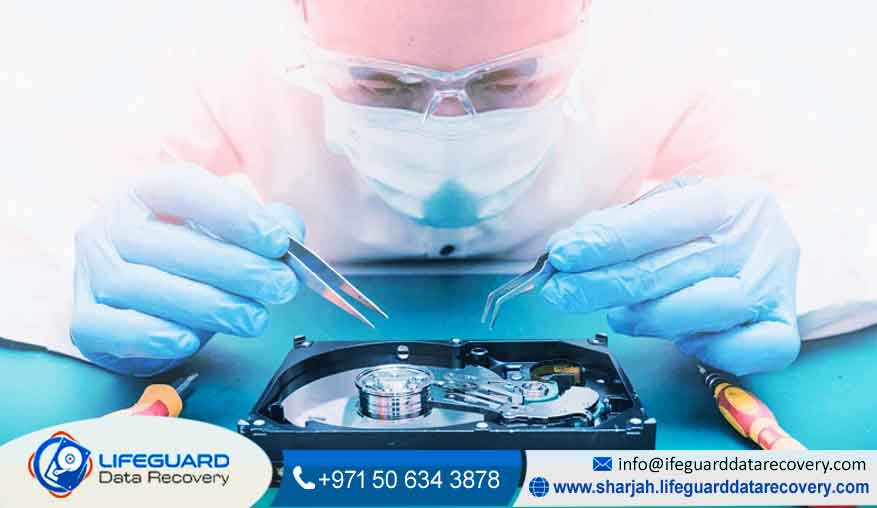
Certified ISO Class 5 Cleanroom: Physical hard drive recoveries are executed exclusively within a strictly monitored, particle-free environment to shield exposed platters from microscopic dust damage.
Authorized by Major Manufacturers: Our advanced, non-destructive methodologies are fully compliant with leading storage brands, meaning our intervention preserves your original device factory warranty.
24/7 Emergency Technical Support: Because operational downtime carries heavy financial consequences, our enterprise response team remains active around the clock to handle mission-critical recoveries.
Comprehensive Video Recovery & Forensic Services
Digital video files—especially high-definition, 4K, and 8K formats—are exceptionally large and are rarely saved in a single, continuous block on a storage device. When file allocation tables fail or a drive is abruptly formatted, the underlying video data splits across thousands of isolated sectors. Our engineering team utilizes highly advanced file-carving tools and custom software to scan raw storage sectors, locate orphaned video fragments, and seamlessly rebuild them back into functional formats.
Our laboratory provides specialized extraction pathways across all primary failure vectors:
1. Enterprise RAID Systems & Corporate NAS Backups
For media production houses and corporate networks managing centralized video libraries, multi-drive failures within a RAID 5, 6, or 10 array can freeze commercial workflows. Our engineers excel at reconstructing virtual drive layouts, bypassing broken hardware controllers, and extracting terabytes of archival video content without risking data corruption.
2. High-Endurance DVR & CCTV Data Recovery
Closed-circuit television recorders subject storage media to constant, 24/7 thermal and mechanical stress. When a storage disk fails or a system crash causes index corruption during a critical security event, standard software cannot parse the proprietary file structures used by modern DVR/NVR units. We manually reconstruct these custom surveillance streams to deliver clear, frame-verified historical timelines.
3. Action Cameras, Drones, & Flash Memory Media
SD cards, microSD cards, and CFexpress cards used in professional cameras (such as RED, Blackmagic, Sony, or DJI drones) frequently suffer electronic degradation, sudden directory corruption, or liquid damage. For severely broken flash media, we deploy Chip-Off Data Recovery, physically desoldering the NAND memory chips to pull the raw binary code directly from the silicon and bypass the failed controller entirely.
4. Broken & Corrupted Video File Repair
If your video file is technically present but fails to open—or displays stuttering playback, pixelated artifacts, a green screen, or frozen frames—the internal container headers are likely corrupted. This can occur due to a power failure during a file transfer or recording session. Rather than just pulling a broken file off the drive, we use specialized structural repair techniques to correct the stream parameters, delivering fully playable, flawless video files.
Our Structured 4-Step Recovery Pipeline
To ensure absolute safety, data confidentiality, and complete transparency, every media device that enters our Sharjah facility undergoes a rigorous, systematic four-step process:
Crucial Steps to Prevent Permanent Video Erasure
When storage media encounters a physical or logical failure, the actions you take over the next few minutes determine whether your video files can ever be recovered. Follow these essential protocols to keep your data safe:
Kill the Power Immediately: If your external hard drive, computer, or server begins emitting any clicking, grinding, or buzzing sounds, shut down the system immediately. These sounds indicate a mechanical head crash. Keeping the drive powered on allows the damaged read head to physically scrape away the magnetic platters, turning your video data into dust.
Stop Writing New Data: If you accidentally delete a folder of raw footage or format an SD card, immediately stop using that card. The operating system only marks that space as “available.” Saving new clips, taking more photos, or running background tests will overwrite those hidden files, making a professional recovery impossible.
Eject Storage Media Safely: Never pull an external drive or SD card out of a computer or camera while it is active. Abruptly disconnecting storage during large high-definition video transfers can corrupt the file allocation table, leading to unreadable directories and severe logical corruption.
Follow the 3-2-1 Backup Rule: To safeguard your production workflows from future incidents, maintain three copies of your video data, across two different media types (such as a local SSD and a secure NAS array), with one copy stored entirely off-site in a secure cloud repository or separate building.
Frequently Asked Questions (FAQs)
Q: Can you recover videos from an SD card that says “unformatted” or “blank”?
Yes. When a camera or computer displays an “unformatted drive” error, it means the file system layout has become corrupted or unreadable. The underlying video data is usually still intact. Do not agree to format the card. Bring it to our lab so our engineers can bypass the corrupted file tables and safely extract the raw footage.
Q: How long does the professional video recovery process take?
The recovery timeline depends on the complexity of the damage rather than the file size. Logical recoveries and file-carving for deleted files generally take 1 to 3 business days. Severe physical breakdowns or complex server RAID reconstructions requiring donor parts can take 5 to 10 business days. For time-sensitive media projects, we offer an Express Emergency Service that prioritizes your device 24/7 to return your files within 48 to 72 hours.
Q: Is your media extraction process completely secure and confidential?
Data privacy is our highest priority. We enforce strict confidentiality controls across our entire seven-step process. All file extractions are performed within secure, isolated network environments with zero external network connectivity. Your corporate media assets, legal footage, and personal files remain strictly confidential from the moment they arrive until they are safely returned to you.
Secure Your Footage with Sharjah’s Trusted Data Recovery Experts
Do not leave your critical business files or priceless personal milestones to unverified DIY software or untrained IT generalists. Improvised repair attempts often turn simple logical issues into permanent data loss. Trust your media with the leading certified specialists in the UAE who possess the specialized cleanroom tools, advanced diagnostics, and deep engineering knowledge to bring your data back safely.
Contact LifeGuard Data Recovery today to speak with a forensic video recovery specialist and arrange a professional device evaluation:

Contact us: +971 50 634 3878


