+971 50 634 3878 Sharjah, Dubai [email protected]

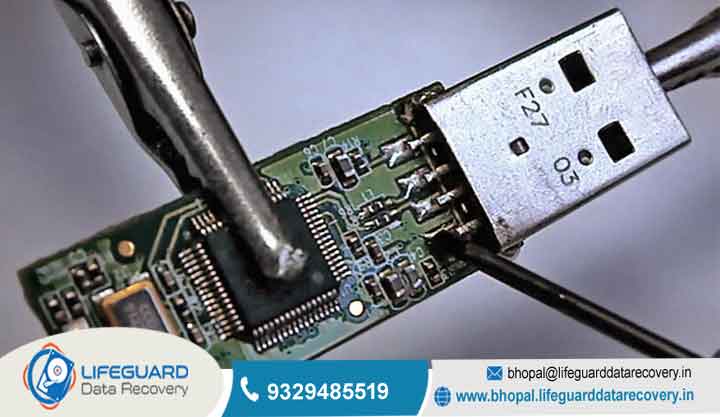
USB flash drive data recovery
Plugging in a USB flash drive only to find your critical documents, family photos, or work backups missing is stressful. Whether you accidentally clicked “Delete,” formatted the drive by mistake, or received an error saying the device is Lifeguard Data Recovery corrupted, one central question immediately arises: USB flash drive data recovery
In most cases, yes, USB flash drive data recovery is entirely possible. However, success depends heavily on what caused the loss, how the flash memory handles deleted data, and what actions you take immediately after discovering the problem This guide breaks
down the science of USB data storage, DIY software recovery steps for logical failures, and professional laboratory options for physically damaged hardware Lifeguard Data Recovery
Understanding USB Data Loss: Why Recovery Is Possible
To understand how USB data recovery works, you must first understand how flash memory manages your files. Unlike traditional Mechanical Hard Disk Drives (HDDs) that store data on spinning magnetic platters, USB flash drives rely on solid-state NAND flash memory.
When you save a file to a USB stick, the file system creates an entry in an index (such as FAT32, exFAT, or NTFS) and writes the actual data payload into microelectronic memory cells.
When a file is deleted or a drive is quick-formatted, the operating system does not instantly wipe the
raw data from those memory cells. Instead, it simply deletes the file’s index entry and marks those specific storage blocks as “available space
Logical Damage vs. Physical Hardware Damage
Successful USB drive data recovery hinges on identifying whether your flash drive has suffered logical or physical failure:
Logical Failure: The physical hardware works fine, but the data is unreadable due to software-level issues (accidental deletion, file system corruption, RAW format conversion, or virus infections). DIY software methods can usually resolve these Software cannot fix physical damage; only specialized hardware labs can recover this data.
The Threat of Overwriting Data on Flash Storage
The single biggest enemy of recover data from USB flash drive attempts is data overwriting.
Once NAND flash cells are overwritten with new data, the original files are permanently destroyed.
Common Causes of USB Flash Drive Failure
Understanding how your drive failed helps you choose the right recovery path without risking total data loss
Logical Corruption & File System Errors
Logical issues prevent your computer’s operating system from reading the USB drive’s partition table or file system:
Unsafe Removal (Improper Ejection): Pulling out a flash drive while background write processes are actively altering the file directory causes file system corruption.
RAW File System: The file structure becomes corrupted, causing the OS to recognize the drive as RAW (unformatted) instead of FAT32 or exFAT.
Malware and Ransomware: Computer viruses can hide file attributes, corrupt directory tables, or encrypt data payloads.
Interrupted Formatting: Removing the drive or losing power during a format operation destroys the partition layout.
Physical & Electrical Components Failure
Physical failure originates from electrical stress or physical impact
Snapped or Bent Connectors: Physical strain on the USB-A or USB-C plug breaks the fine solder joints connecting the plug to the Printed Circuit Board (PCB).
Power Surges & Controller Burnout: Unstable power delivery from a computer’s motherboard can fry the flash memory controller microchip.
NAND Wear-Out (Bit Rot): NAND flash cells can only endure a finite number of Program/Erase (P/E) cycles. Over time, aged cells lose their ability to retain electrical charge, leading to corrupted data.
Extreme Environmental Exposure: Water immersion, extreme heat, or severe static electricity discharges damage delicate surface-mount components
Key Signs and Symptoms of a Failing USB Flash Drive
System Error Messages
If your operating system detects the hardware but cannot access the data, you will often encounter explicit pop-up warnings:
Physical & OS Detection Symptoms
For more severe failures, the drive may exhibit quiet structural errors:
Drive Shows 0 Bytes: Disk Management displays the drive letter, but shows 0 Bytes Capacity and No Media.
Drive Letter Drops Constantly: The USB stick disconnects and reconnects repeatedly every few seconds.
No Power Light / Overheating: The drive’s status LED fails to light up entirely, or the drive metal casing becomes uncomfortably hot to the touch within seconds of connection (indicating a short circuit).
How to Recover Data from a Logical USB Failure (DIY Software Methods)
If your drive shows up in your computer’s system utilities and hasn’t suffered physical impact, follow these non-destructive troubleshooting steps.
Performing Deep Scans with Professional USB Data Recovery Software
If you are dealing with deleted files recovery from USB or formatted USB recovery, third-party software scans the raw NAND blocks directly to reconstruct missing file signatures.
Stop Using the Drive: Do not save new data to the problematic USB stick.
Download Software to Your Main Storage: Install reputable USB data recovery software (such as Recuva, Disk Drill, or R-Studio) onto your computer’s internal C: drive never onto the USB drive itself.
Select and Scan the Drive: Open the software, select your USB flash drive target, and execute a Deep Scan (Signature Scan).
Preview and Save Recovered Files: Review the scan results using the built-in file previewer. Select your target files and restore them to a different local storage location (like your desktop folder) to prevent overwriting.
How Physical USB Drive Repair and Recovery Works (Lab Solutions)
When software utilities cannot detect a device or when a flash drive is physically crushed, burnt, or broken DIY tools are completely ineffective. Performing hardware-level damaged USB flash drive recovery requires cleanroom conditions, specialized micro-soldering equipment, and proprietary memory programmers.
Hardware Connector Realignment and Soldering Repairs
If a USB drive was bumped while plugged into a laptop, the male USB plug often snaps away from the internal circuit board. Professional technicians perform trace repair under a microscope:
The plastic or metal casing of the USB drive is carefully split open.
Technicians inspect the Printed Circuit Board (PCB) under magnification to identify severed copper traces.
Chip-Off NAND Recovery & Monolithic Pinout Extraction
When a drive’s main controller chip fails, the computer can no longer translate raw data stored inside the flash memory. Specialized USB recovery service engineers bypass the controller entirely using advanced lab procedures.
Traditional PCB Drives (Chip-Off):
Engineers carefully desolder the discrete TSOP-48 or BGA NAND memory chip from the circuit board using precise hot-air rework stations
Specialized software reverse-engineers the original controller’s XOR patterns, wear-leveling algorithms, and ECC error corrections to reconstruct a clean image of your files.
Modern Monolithic Flash Drives:
Modern miniaturized USB drives (like micro “fit” drives) use Monolithic Architecture
Restoring data from a dead monolithic drive requires scrubbing away the protective epoxy coating under a microscope to reveal hidden microscopic trace points (“pinouts”). Technicians solder fine wire leads directly onto these micro-pinouts to dump raw data straight from the internal silicon.
Best Practices to Prevent USB Data Loss
While USB flash drive repair and recovery techniques are advanced, prevention remains the most effective protection against data loss.
Safe Ejection and Storage Habits
Always Eject Safely: Always right-click your drive icon and select Eject (or “Safely Remove Hardware”) before pulling the device out of a USB port. This ensures all active background memory write buffers are properly flushed.
Protect Against Physical Stress: Store portable drives in protective caps or padded cases to shield USB plugs from bending forces and guard against Electrostatic Discharge (ESD).
Frequently Asked Questions (FAQs)
Can I recover files from a USB drive that has been fully formatted?
If you performed a Quick Format, yes the raw binary data remains intact in the NAND cells until overwritten. However, if you performed a Full Format (where the OS actively writes zeros across all storage blocks) or ran disk-sanitizing commands, data recovery is mathematically impossible.
How much does a professional USB recovery service cost?
Costs vary based on failure type. Minor logical recoveries or basic connector solder repairs generally range from Complex physical recoveries involving dead controllers, monolithic pinout soldering, or micro-chip extraction require dedicated lab environments and typically cost between
Can a physically snapped or broken USB drive be fixed?
Yes, as long as the internal silicon NAND flash chip itself is not cracked or shattered. If the plastic casing or outer metal plug breaks, a professional USB flash drive recovery service can bridge electrical connections or extract the memory chip to retrieve your files intact.


