+971 50 634 3878 Sharjah, Dubai [email protected]

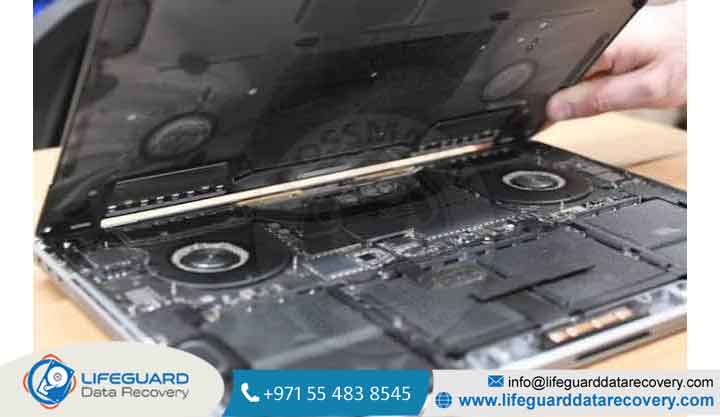
MacBook SSD data recovery
Losing files from a Mac can feel like an immediate crisis, but in most cases, MacBook SSD data recovery is achievable. Whether a recovery attempt succeeds depends primarily on three critical factors: your MacBook’s release year, whether hardware-level encryption is enabled, and how quickly you act after data loss occurs Lifeguard Data Recovery
While older MacBooks utilize removable drives, modern Apple Silicon (M1 through M4 series) and Intel T2-equipped models solder NAND flash storage directly to the logic board. This guide outlines the exact technical mechanisms of Mac storage, step-by-step DIY recovery workflows, and when to seek hardware-level cleanroom intervention Lifeguard Data Recovery
Understanding MacBook SSD Architecture: Removable vs. Soldered Drives
Recovering data from a solid-state drive (SSD) requires understanding how Apple’s internal drive designs have evolved over time.
Older Intel MacBooks (Pre-2016): Proprietary Removable SSDs
MacBook Pro models released prior to late-2016 and MacBook Air models prior to 2018 feature modular, removable storage units. Although Apple utilized a proprietary 12+16 pin connector rather than standard M.2 form factors, these drives can be physically extracted from a failed machine. Once removed, technicians mount the drive using specialized PCIe adapters to clone raw data sectors onto secondary storage.
Modern Intel (T2) & Apple Silicon Macs (M1 to M4): Soldered NAND Chips & Hardware Encryption
Beginning with the 2016 Touch Bar MacBook Pro and fully standardized across Apple Silicon chips, storage consists of individual NAND flash chips soldered directly onto the main logic board. The SSD controller is integrated straight into the M-series System on Chip (SoC) or T2 Security Chip.
Because the hardware encryption keys are tied exclusively to the Secure Enclave inside that specific processor, desoldering the storage chips and placing them onto another board will yield only scrambled, unreadable data.
The Two Biggest Hurdles in Recovering Data from a MacBook SSD
Software-based MacBook SSD recovery differs fundamentally from traditional hard drive recovery due to macOS system-level routines.
How the TRIM Command Affects Deleted Data Recovery
TRIM is an OS-level command that informs an SSD which data blocks are no longer in use, allowing internal garbage collection to proactively erase them.
The Impact: When you delete a file and empty the Trash on a TRIM-enabled SSD, macOS flags those sectors immediately. Garbage collection background processes purge that block shortly after.
The Recovery Window: If TRIM runs before a recovery attempt, raw file data is permanently zeroed out. Recovery software must scan the drive immediately before garbage collection triggers.
FileVault Encryption and Secure Enclave Integration
FileVault standardizes encryption across your system. On Apple Silicon, encryption is active at the hardware level by default, even if FileVault is turned off. Accessing raw memory requires validating your user password or 28-character recovery key against the hardware Secure Enclave. Without this key, raw sector dumps remain cryptographically unrecoverable.
Common Causes of Data Loss on MacBook SSDs
Identifying whether your issue stems from logical errors or physical failure dictates the correct recovery path.
Logical Causes: Accidental Deletion, Formatting, and APFS Corruption
Accidental Deletion & Trash Bin Purges: Manual file removals where user action triggers TRIM operations.
APFS File System Corruption: Disruption to Apple File System container metadata, causing volumes to unmount or present as RAW format.
Failed macOS System Updates: Interrupted OS upgrades that leave system structures in a non-bootable state.
Physical & Hardware Causes: Dead Logic Board, Water Damage, and NAND Wear
Power Rail Short Circuits: Burnt capacitors or power management IC (PMIC) failures on the logic board preventing the laptop from powering on.
Liquid Ingress: Water or fluid exposure causing corrosion along high-voltage data tracks.
NAND Flash Cell Wear out: Exceeding maximum program/erase (P/E) cycles, causing sectors to drop into permanent read-only status.
What to Expect from a Professional Recovery Service
For soldered Apple Silicon architectures, specialized labs do not attempt to read NAND chips off-board. Instead, micro-soldering engineers repair the damaged micro-components on the original logic board to restore board power. Once the board powers on successfully, technicians authenticate through the Secure Enclave and export your data over high-speed transfer interfaces.
Prevention Tips: Protecting Your MacBook SSD Data from Future Loss
Enforce the 3-2-1 Backup Rule: Maintain three total copies of important data across two different media types local Time Machine drive), with one backup stored securely offsite (encrypted cloud storage).
Store FileVault Keys Offline: Keep your FileVault recovery key recorded in a secure password manager separate from your primary MacBook.
Monitor SSD SMART Health Metrics: Run SMART diagnostic utilities regularly to track Percentage Used and total Data Units Written metrics to catch hardware degradation early.
Frequently Asked Questions
Can data be recovered from a dead MacBook M1/M2/M3 logic board?
Yes, but recovery requires restoring the logic board to a functional power state. Because encryption keys are locked within the M-series SoC, technicians must perform board-level micro-soldering repairs directly on the original motherboard to extract data.
How much does professional MacBook SSD data recovery cost?
Logical recovery for non-hardware issues generally ranges between . Complex hardware-level lab recoveries involving liquid damage or micro-soldering on modern logic boards typically range from depending on board condition.
Does TRIM make MacBook SSD deleted file recovery impossible?
Not always. While TRIM systematically clears unassigned data blocks, recovery remains possible if you act immediately before garbage collection executes, or if local APFS snapshots preserved the file state.
Can I put my MacBook SSD into a standard M.2 NVMe enclosure?
Only if your MacBook is a 2015 model or older. Modern MacBooks (2016+) use proprietary pinouts or have NAND chips soldered directly to the logic board, making standard M.2 NVMe enclosures incompatible.


