+971 50 634 3878 Sharjah, Dubai info@lifeguarddatarecovery.com

CF express Data Recovery UAE
Word File Recovery Services in UAE – Restore Lost or Corrupted Documents. Losing an important Word document can be more than an inconvenience-it can disrupt your work, delay critical deadlines, and even result in permanent loss of vital information. At Lifeguard Data Recovery, we understand how stressful this can be. Our team specializes in Word file recovery across the UAE, providing reliable solutions for recovering deleted Word documents, restoring unsaved files, and repairing corrupted documents. Whether you’re a business professional in Dubai, a student in Abu Dhabi, or an individual in Sharjah, our certified experts are equipped to recover your files efficiently, securely, and with minimal disruption to your daily workflow. CFexpress card recovery UAE
Our services are built on trust, expertise, and advanced recovery technologies. We ensure that every document, from critical financial reports to personal projects, is treated with the utmost confidentiality. With a high success rate, rapid turnaround, and 24/7 support, Lifeguard Data Recovery is your dependable partner in restoring lost Word files.
Why Choose Lifeguard Data Recovery for Word File Recovery in UAE
Recovering a Word file isn’t just about retrieving a lost document—it’s about restoring peace of mind and protecting information that is often irreplaceable. Many recovery services offer generic solutions, but at Lifeguard Data Recovery, we focus on providing professional, tailored recovery services for Word documents specifically.
Our team of certified specialists has extensive experience working with all Word versions, including Word 365, Word 2019, and older formats. They are trained to handle a wide range of file loss scenarios, from accidental deletions to severe corruption caused by software errors, viruses, or storage device failures. Unlike generic software solutions, our service combines technical expertise with careful, hands-on recovery methods to maximize the chances of restoring your files intact.
Clients trust us because we maintain the highest standards of security and confidentiality. Every file is treated as sensitive, and our processes are designed to prevent any further data loss. From urgent business documents to personal assignments, we ensure that your Word files are returned fully recovered and ready for immediate use.
Our Comprehensive Word File Recovery Services
At Lifeguard Data Recovery, we provide end-to-end recovery solutions for every scenario of Word file loss. Many users encounter situations where files are accidentally deleted, lost during a system crash, or corrupted beyond what standard software tools can repair. In these cases, a professional recovery approach is often the only reliable solution.
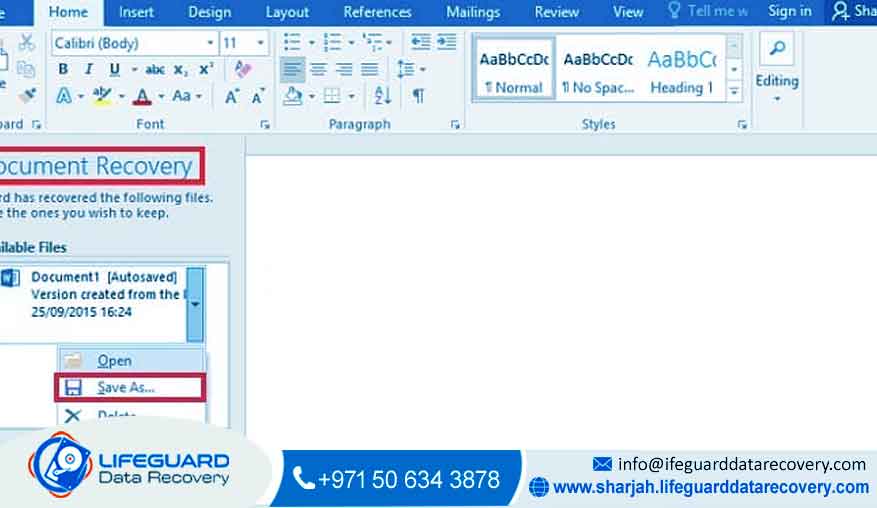
When a Word file is accidentally deleted, it may still reside on your hard drive or storage media until new data overwrites it. Our technicians carefully analyze the device and recover deleted documents safely, preserving formatting, embedded images, tables, and other elements. Similarly, unsaved Word files resulting from power outages or application crashes can often be restored using Word’s AutoRecover and temporary files, but professional intervention ensures that no content is lost.
Corrupted Word files present a more complex challenge. They may refuse to open, display errors, or lose formatting and data. Using a combination of Microsoft Word’s built-in recovery features and advanced professional recovery software, we repair corrupted files while maintaining their original structure. This is particularly critical for documents containing tables, charts, and images, where even small errors can render the file unusable.
Our recovery services extend to all types of storage devices, including internal and external hard drives, SSDs, USB drives, SD cards, and even network drives. Whether a Word file is lost due to physical damage, software malfunction, or cloud synchronization issues, we evaluate each case thoroughly and apply the most effective recovery techniques.
How Word File Recovery Works
Our Word file recovery process is designed to be clear, systematic, and highly effective. It begins with a free evaluation, where our experts assess the storage device or document to determine recoverability. This step ensures that you understand the potential outcomes and costs before any work begins.
Following the evaluation, our technicians perform a detailed diagnosis. They identify the cause of the loss—whether accidental deletion, unsaved work, system crash, or corruption—and select the appropriate recovery strategy. For minor data loss, Word’s AutoRecover and backup files may suffice, but for deleted or corrupted files, we utilize specialized tools and professional recovery techniques to retrieve your documents safely.
Once recovery is complete, we verify each file to ensure it opens correctly, contains all content, and preserves formatting. This verification step is crucial, particularly for business or academic documents where incomplete recovery can have serious consequences. After verification, files are delivered securely to the client, either through a physical medium or via secure digital transfer. Throughout the process, we maintain open communication, guiding you on the next steps and offering advice on preventing future data loss.
Common Scenarios of Word File Loss
Many of our clients experience data loss in situations that seem irretrievable without professional help. A common scenario is accidentally deleting a Word document from your computer or external drive, believing it can be restored from the Recycle Bin, only to discover it has been permanently removed. In these cases, immediate action is critical, and professional recovery significantly increases the likelihood of success.
Another frequent challenge arises when a Word document is left unsaved due to unexpected power cuts or application crashes. Users may attempt to reopen Word repeatedly, sometimes worsening the problem. Our team can locate and recover these unsaved files using AutoRecover, temporary files, and backup copies, often restoring the document completely with minimal loss of content.
Corrupted files represent a particularly stressful scenario. These files may refuse to open, display garbled text, or lose formatting. Causes can include virus attacks, failed downloads, software errors, or disk issues. Attempting DIY repairs without expertise can result in permanent loss, whereas professional recovery ensures your document is restored safely.
Pricing and Recovery Costs
At Lifeguard Data Recovery, we prioritize transparency. Our pricing reflects the complexity of the recovery task, the type of storage device, and the extent of file damage. Minor recoveries may be straightforward, while complex cases involving corrupted or overwritten documents require more advanced techniques.
To ensure clarity, we provide a free evaluation that determines the recoverability of your Word file and outlines an accurate quote. Clients can then decide whether to proceed without worrying about hidden fees or unexpected costs. Emergency recovery options are available for urgent situations, ensuring that business deadlines and personal obligations are not disrupted.
Tips for Preventing Word File Loss
Preventing data loss is just as important as recovering it. Users can significantly reduce the risk of losing Word documents by following simple practices. Enabling AutoRecover in Word and setting a short save interval ensures that even if a crash occurs, recent work is not lost. Maintaining regular backups, either on external drives or cloud storage, provides an extra layer of protection.
It’s also important to avoid abrupt system shutdowns during file editing, as this is a common cause of unsaved or corrupted documents. If a file is accidentally deleted, stopping the use of the storage device immediately prevents overwriting, improving the chances of successful recovery. Finally, using reputable recovery software and seeking professional help when necessary ensures that data is retrieved safely and efficiently.
Why Lifeguard Data Recovery is the UAE’s Leading Word File Recovery Service
Lifeguard Data Recovery stands out in the UAE because of our dedicated focus on professional Word file recovery. Unlike generic services, we combine expert knowledge, advanced technology, and personalized attention to every client. Our team has a proven track record of recovering files that other services or software solutions cannot, and our 24/7 support ensures that urgent needs are met promptly.
Clients trust us not just for our technical expertise, but also for our commitment to confidentiality, transparency, and reliability. Every document is treated as sensitive, and our process is designed to protect your information while maximizing the chance of recovery. By choosing Lifeguard Data Recovery, you’re not just restoring a Word file—you’re restoring critical work, important memories, and peace of mind.
Real-Life Success Stories
In Dubai, a business client accidentally deleted a critical financial report hours before submission. Our team was able to recover the Word file from the client’s network drive within hours, ensuring the report was delivered on time.
A university student in Abu Dhabi lost an unsaved assignment during a sudden power outage. By accessing Word’s AutoRecover files and temporary backups, we restored the entire document, saving the student from academic penalties.
In Sharjah, a client had a corrupted proposal file that refused to open. Using advanced repair tools, we restored the text, tables, and images accurately, allowing the client to submit the document without delays or errors.
These examples highlight the real impact of professional Word file recovery, demonstrating not just technical success but also the relief and reassurance it brings to our clients.
Frequently Asked Questions
Many clients have questions about Word file recovery, and we’ve compiled answers to help you understand the process and set expectations.
How can I recover an unsaved Word document?
You can use Word’s AutoRecover feature or search temporary files. If these steps fail, professional recovery ensures the best chance of retrieving your work.
Can I recover deleted Word files without software?
In some cases, files may still be in the Recycle Bin or backups. For permanent deletions, specialized software or professional services is the most reliable solution.
Which Word recovery software is recommended?
Microsoft Word’s built-in recovery tools can help for minor issues, but advanced cases require professional-grade software and expert intervention.
How long does Word file recovery take?
Recovery times depend on the size and complexity of the file, as well as the storage device. Simple recoveries may take a few hours, while complex cases can take longer. Emergency cases are prioritized for quick turnaround.
Can overwritten Word documents be recovered?
Recovery of overwritten files is possible if the original data blocks remain intact. Our free evaluation determines the likelihood of successful restoration.
Contact Lifeguard Data Recovery – UAE Word File Recovery Experts
Don’t let lost or corrupted Word documents halt your work or personal projects. Contact Lifeguard Data Recovery today for professional Word file recovery services across Dubai, Abu Dhabi, Sharjah, and the entire UAE. Our certified experts provide fast, secure, and reliable recovery, ensuring your documents are restored accurately and safely.
Call us or visit our nearest center for a free evaluation and experience the peace of mind that comes from working with UAE’s trusted Word file recovery specialists.
Restore Your Word Files Today – Safe, Secure, and Guaranteed!

Contact us : +971 50 634 3878