+971 50 634 3878 Sharjah, Dubai [email protected]

Can Water-Damaged Hard Drives Be Recovered?
If your laptop just survived a coffee spill, or an external drive was pulled from a flooded basement, you are likely in a state of panic. Take a deep breath Lifeguard Data Recovery In the vast majority of cases, water-damaged hard drive data recovery is highly successful but only if you avoid the common home remedies that accidentally turn a temporary issue into permanent data destruction. lifeguard data recovery
The Short Answer Can Data Be Recovered After Water Damage?
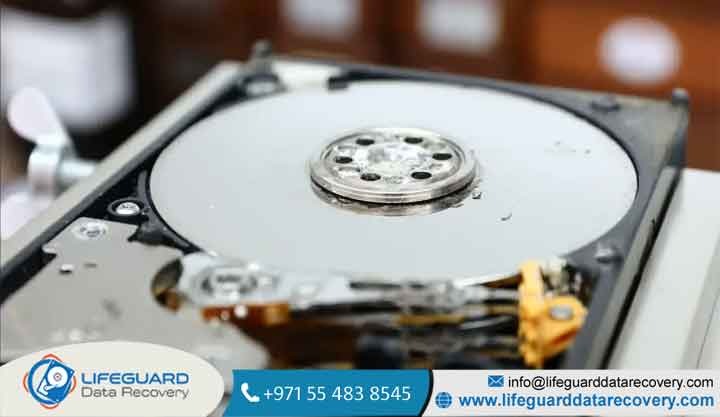
Yes, can data be recovered after water damage? Absolutely. Because a hard disk drive (HDD) stores information magnetically on polished platters, the physical data layer remains intact even when submerged.
However, your odds of successful water-damaged storage device recovery drop drastically based on three variables:
The Type of Liquid: Clean tap water is manageable. Saltwater, coffee, and soda are highly corrosive and exponentially more dangerous.
Your Immediate Response: Powering on the device to “see if it still works” is the single most common cause of irreversible data loss.
Time: Corrosion begins within hours. The faster the drive reaches a specialized environment, the higher the recovery rate.
The Hidden Danger: What Water Actually Does to Your HDD
To safely recover data from water-damaged HDD units, you have to understand what happens inside the casing. While hard drives look sealed, they are not airtight. They feature small “breather holes” to equalize internal air pressure, meaning water will eventually seep inside if submerged.
Electrical Short Circuits
The exposed green circuit board on the bottom of your drive the Printed Circuit Board (PCB) controls everything from platter rotation to data processing. If moisture bridges the connections on this board when an electrical current passes through, it instantly burns out voltage regulators, controller chips, and pre-amplifier components.
Platter Contamination and Debris
As water enters the drive, it brings along microscopic minerals, dirt, or salt. If the water is allowed to evaporate naturally, these dissolved contaminants crystallize directly onto the mirror-smooth magnetic platters. When the read/write heads (which hover mere nanometers above the surface) attempt to fly over these tiny crystal mounds, a catastrophic head crash occurs, physically scraping the data layer away like sandpaper.
Rapid Corrosion and Oxidation
Oxygen plus moisture equals rust. The moment a wet drive is exposed to air and begins to dry, rapid hard drive corrosion data recovery obstacles form. Delicate copper traces, solder joints, and the mechanical bearings inside the drive’s spindle motor start oxidizing, seizing up the moving components.
Urgent Response: How to Handle a Wet Hard Drive (First 5 Minutes)
When dealing with a wet hard drive, your instincts will actively work against you. Follow these strict emergency triage protocols to protect your files.
Water-Damaged External Hard Drive Recovery vs. Internal Laptops
The layout of your hardware alters the recovery path slightly:
Water-Damaged External Hard Drive Recovery: External HDDs have an extra layer of defense: the outer plastic or aluminum enclosure. In basic spills, the liquid may only ruin the enclosure’s primitive SATA-to-USB bridge board while leaving the internal drive dry. Specialized external HDD water damage repair involves safely stripping the outer shell to assess the actual drive inside.
Water-Damaged Laptop Hard Drive Recovery: Modern laptops present a tougher challenge. Many modern ultrabooks utilize Solid State Drives (SSDs) soldered directly onto the motherboard. If your computer suffered hard drive liquid damage recovery issues on a soldered chip, a technician must physically repair the shorted laptop motherboard using microsoldering just to temporarily restore power to the storage chips.
DIY vs. Professional Water-Damaged Hard Drive Recovery
It is vital to be realistic here: you cannot use data recovery software to fix a wet hard drive. Software tools only repair logical file corruption; they cannot fix shorted circuitry, corroded connectors, or contaminated platters
When You Can Safely Attempt a DIY Recovery
You should only attempt a DIY fix if you are certain the liquid exposure was minor, fresh water, and restricted purely to the outside casing of an external device without breaching the drive’s housing. In this exact scenario, you can replace a damaged external enclosure or clean an exposed, unpowered PCB using to safely displace moisture before testing.
When a Cleanroom Hard Drive Recovery Service is Mandatory
If the device was fully submerged, exposed to salt water, or is clicking/beeping when powered on, you must seek professional water-damaged hard drive recovery.
Opening a hard drive casing outside of an ISO-certified environment will instantly ruin it, as standard room air contains millions of floating dust particles. Specialized engineers must operate within a Class 100 Cleanroom, using ultrasonic cleaning tanks with specialized electronics-grade chemical solvents to strip away mineral deposits and corrosion before a platter transplant can even be attempted.
What to Expect From Professional Recovery
When you send your media to the best hard drive recovery company for water damage, they follow an exact forensic restoration path:
Future Proofing: How to Protect Your Data from Liquid Disasters
Implementing the 3-2-1 Backup Strategy
Hardware will always be vulnerable to natural disasters, spills, and accidents. The only true defense is redundancy:
Investing in IP-Rated Rugged Enclosures
If you travel frequently or work in unpredictable environments, migrate your data onto drives protected by an internal IP68 rating.
Frequently Asked Questions
Can I use data recovery software on a wet hard drive?
No. Software requires your operating system to recognize the drive’s file structure. If the drive has sustained physical liquid damage, plugging it in to run a scan will trigger an electrical short or cause the read heads to crash, permanently destroying the files.
How do you recover data from a flooded hard drive?
Data recovery after flood damage involves keeping the drive sealed in a damp environment so mud and sewer silt do not dry and harden onto the platters. Once inside an industrial data recovery laboratory, engineers physically extract the internal platter assembly, wash it using specialized detergents, and transplant it into a clean donor drive shell.
Does drying a hard drive out fix it?
No. While drying a phone sometimes works, drying a mechanical hard drive simply causes dissolved minerals to crystallize on the platters and accelerates rust on the internal electrical contacts, making future recovery significantly harder.


