+971 50 634 3878 Sharjah, Dubai [email protected]

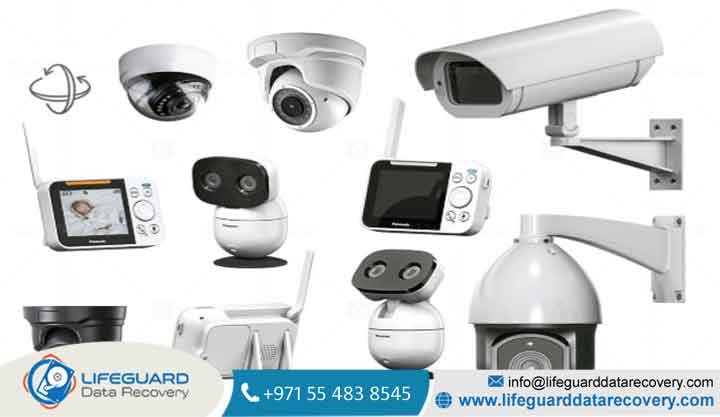
Can CCTV Footage Be Recovered After Deletion?
Discovering that critical security footage has been erased can be incredibly stressful, whether it happened due to an accident, a technical glitch, or deliberate tampering. When an incident occurs, you need answers fast: Can deleted CCTV footage be recovered? The short answer is yes, in many cases, lifeguard data recovery
deleted surveillance footage recovery is entirely possible. However, success depends heavily on how the data was deleted, what you have done with the storage media since the deletion, and the type of system you are using. Lifeguard Data Recovery This comprehensive technical guide walks you through how security
footage is stored, when it can be salvaged, and the exact steps to recover your vital video files.
Understanding How Security Cameras Store and Delete Data
To understand how to recover deleted CCTV footage, it helps to look at how these systems handle data under the hood. Unlike standard desktop computers, surveillance systems are optimized for continuous, high-volume data writing.
NVR vs. DVR Footage Recovery: What Is the Difference?
When executing CCTV data recovery, the underlying hardware architecture dictates the recovery workflow:
DVR (Digital Video Recorder) Systems: Traditional analog cameras plug directly into a DVR. The unit compresses the raw video feed and writes it directly to an internal hard drive. When performing a DVR footage recovery, you are dealing with a local hard drive containing encoded streams like , or proprietary file extensions.
NVR (Network Video Recorder) Systems: IP (Internet Protocol) cameras encode video data right at the camera level and stream it over a local network to the NVR.
Because both configurations record continuously, they use specialized file systems (often proprietary variants of Linux architectures like ext3 or ext4) instead of standard Windows NTFS tables. This is why you cannot simply plug a security drive into a Windows PC and expect to view the files natively.
The Truth About Overwritten CCTV Footage
A vital concept in data storage is that “deletion” rarely means immediate destruction However, security systems utilize loop recording. Once the storage drive hits maximum capacity, the system automatically writes new footage over the oldest files. If you need to recover overwritten CCTV footage, time is your worst enemy.
Common Causes Behind Lost or Deleted Surveillance Footage
Pinpointing the exact catalyst behind your data loss helps determine whether you can use automated software or if you need to call in cleanroom specialists.
Accidental User Deletion and System Formatting
Human error is one of the leading causes of data loss. An operator might accidentally clear a storage volume while trying to export a clip, or perform a full system initialization.
Hardware Crashing, Power Surges, and Corrupted Clusters
Because surveillance drives run 24/7, they undergo immense thermal and mechanical stress. Power surges, sudden blackouts, or component aging can drop voltage unexpectedly, causing the drive head to lose calibration and create bad sectors. If you need to recover corrupted CCTV recordings, specialized software must rebuild the broken video containers without crashing during the parsing process.
Malicious Alteration and Cyber Tampering
In high-stakes scenarios, intruders or internal bad actors may deliberately access the storage interface to delete evidence. They might format the system logs, delete specific time blocks, or physically damage the recording box. Uncovering deleted surveillance footage recovery leads in these scenarios often requires deep forensic carving to bypass the modified system settings.
How to Recover Deleted CCTV Footage (Step-by-Step DIY Approach)
Critical Warning: Never download or install CCTV video recovery software directly onto the security hard drive you are trying to rescue. Doing so will overwrite the exact sectors containing your deleted video files. Always run the software on a separate host computer.
When to Call Professional CCTV Data Recovery Services
Software approaches only work if the hard drive is capable of reading and writing data safely at a mechanical level.
Signs of Physical Drive Mechanical Failure
If your DVR or NVR drive exhibits any of the following symptoms, stop using software utilities immediately
These signs indicate mechanical head crashes, platter scratches, or motor failure. Running DIY scanning applications on a physically failing drive will rapidly grind down the magnetic platters, turning recoverable sectors into unreadable dust.
What to Expect with CCTV Footage Recovery Cost
When software fails, you need to ship the drive to secure laboratories equipped with specialized cleanrooms. Expert technicians manually open the drive housing, replace damaged read/write head assemblies, swap out broken controller boards, and mirror the raw data sectors using hardware imagers.
The CCTV footage recovery cost generally varies depending on the physical damage tier, drive capacity, and turnaround urgency. Legitimate professional CCTV data recovery services will provide a transparent evaluation phase and operate under a “no data, no charge” policy.
Proactive Strategies to Prevent CCTV Data Loss
The most efficient way to handle data loss is making sure your security framework can withstand a drive failure automatically.
Deploy Hybrid Redundant Backups: Do not rely exclusively on a single internal hard drive. Configure your NVR to push automated, real-time video streams to an offsite cloud storage tier or an independent network FTP server. If a local drive fails or is stolen, your backup history remains protected in the cloud.
Invest in Surveillance-Grade Storage: Standard desktop hard drives are designed for 8-hour daily operational windows with light workloads. True security systems require dedicated surveillance-grade drives (such as Western Digital Purple or Seagate SkyHawk). These drives feature specialized firmware designed to support constant, simultaneous video writes from multiple channels without dropping frames or wearing out prematurely.
Frequently Asked Questions (FAQ)
How to recover permanently deleted CCTV footage from an SD card?
Remove the micro-SD card from the security camera immediately to prevent loop recording. Insert the card into a computer card reader and run verified best CCTV footage recovery software. Run a deep scan configured to look for raw media block containers to parse out fragments that lack valid file system directories.
Can cloud-based security camera footage be recovered after deletion?
If a user deletes a clip from a cloud system (like Ring or Nest), it is usually removed from the user interface immediately. However, many cloud providers maintain backend retention windows or trash caches for a brief period. Contact your system vendor’s technical support queue immediately to see if the video block can be restored from server-side logs before it is fully purged from their servers.
How many days of backup can a standard DVR hard drive hold?
This depends entirely on your system settings: the number of active camera channels, video resolution (1080p vs 4K), frame rate (FPS), and compression codecs. For example, a 2TB hard drive recording 4 channels continuously at 1080p using standard H.264 compression typically holds around 7 to 10 days of continuous footage before loop recording begins to clear the oldest data blocks.


