+971 50 634 3878 Sharjah, Dubai [email protected]

Best RAID Recovery Experts UAE
In high-stakes enterprise environments across Dubai, Abu Dhabi, and the broader United Arab Emirates, storage server downtime is more than an inconvenience it is an operational bottleneck that threatens revenue, client confidentiality, and continuity. RAID (Redundant Array of Independent
Disks) architecture serves as the backbone of modern business Lifeguard Data Recovery IT infrastructure. It balances high-speed read/write performance with fault tolerance. However, despite built-in redundancy, RAID arrays are not immune to multi-drive failure, controller corruption, physical
wear, or human operator error Lifeguard Data Recovery
When an array degrades or collapses entirely, restoring accessibility requires specialized techniques. Standard drive recovery software often fails or worse, causes permanent data corruption when executed
on striped volumes. This comprehensive guide details the mechanics of RAID data recovery UAE systems, identifies root causes of array collapse, outlines safe triage protocols, and provides a framework for selecting certified RAID recovery experts UAE businesses trust.
Understanding RAID Data Recovery in the UAE
RAID storage distributes or replicates data across multiple hard disk drives (HDDs) or solid-state drives (SSDs) to achieve performance scaling, fault tolerance, or both. Understanding how data is written across these volumes is critical before attempting any restoration process.
What Makes RAID Recovery Different from Single Hard Drive Recovery?
Unlike standard single-drive data retrieval, recovering a RAID array involves reconstructing logical parameters across physical or virtual boundaries. Data is broken into chunks and written across member disks using specific pattern arrangements known as “striping.” Depending on the
configuration, parity data a mathematical checksum used to recalculate missing information is distributed across the member drives.
When recovering a failed RAID:
Parity Block Calculation: The recovery engineer must determine the exact block size (e.g., 64KB, 128KB), stripe order, parity distribution pattern (left-asynchronous, right-synchronous, etc.), and drive sequence.
Volume Reconstruction: Physical member drives must first be cloned byte-by-byte in a hardware lab. Direct operations on original failed media are never performed. The array is then virtually re-assembled using specialized software tools capable of decoding complex controller logic.
Common RAID Configurations Serviced
Professional RAID recovery services UAE facilities handle various hardware and software array levels:
RAID 0 (Striped Set): Offers high performance without redundancy. If a single drive fails, the entire array crashes. Recovery requires 100% data extraction from every individual drive.
RAID 1 (Mirrored Set): Provides exact data duplication across two or more drives. If one drive fails, the array operates from the mirror. Recovery involves cloning the surviving drive or repairing logical file system damage.
RAID 5 (Striping with Distributed Parity): Requires a minimum of 3 drives. It can survive a single disk failure. If a second drive fails before a rebuild completes, the entire array goes offline, requiring full laboratory reconstruction.
RAID 6 (Striping with Dual Parity): Uses dual parity blocks across member drives to tolerate up to two concurrent disk failures. Complex parity algorithms make virtual reconstruction challenging when controller metadata corrupts.
RAID 10 / RAID 01 (Nested RAID): Combines mirroring and striping for performance and redundancy. Recovery requires mapping nested logical stripes across mirror sets.
Specialized Recovery for NAS, SAN, and Enterprise Servers
Modern enterprise environments rely on Network-Attached Storage (NAS) and Storage Area Networks (SAN). Devices from vendors such as Synology, QNAP, Buffalo, NETGEAR, Dell PowerEdge, and HPE ProLiant frequently utilize custom software RAID layers (e.g., Synology Hybrid RAID / SHR, Linux mdadm, or ZFS pools).
Virtualization environments running VMware ESXi (VMFS), Microsoft Hyper-V (VHDX), or Proxmox add layer-upon-layer of file system complexity. RAID server data recovery UAE specialists must recover the physical array first, then repair the underlying storage pool, and finally extract the nested virtual machine disk images intact.
Primary Causes of RAID Array Failures
Understanding why a RAID array goes offline helps system administrators prevent catastrophic data loss and choose the appropriate recovery pathway.
Hardware vs. Software RAID Failure Modes
Hardware RAID Failures: Hardware arrays rely on a dedicated RAID controller card equipped with onboard processors and cache memory. If the controller card fails due to electrical surges or component degradation, the array loses its configuration metadata (COD). While the member drives may remain physically intact, the host system perceives the storage as unformatted raw disks.
Software RAID Failures: Software arrays managed by OS-level drivers (such as Windows Storage Spaces or Linux
mdadm) are susceptible to operating system crashes, file system corruption, bad sector accumulation on system partitions, and driver updates that mangle volume allocation tables.Human Error, Unintentional Rebuilds, and RAID Controller Corruption
Human intervention during a critical array state is a leading cause of permanent data destruction:
Accidental Re-initialization: Formatting or re-initializing the array through the controller BIOS clears allocation tables and overwrites metadata headers.
Forcing Online: System administrators sometimes attempt to force a offline/failed drive back online within the controller utility. This can write stale parity data across healthy drives, corrupting file systems.
Incorrect Drive Insertion: Inserting a replacement drive into the wrong bay slot or using an improper disk order during an array rebuild can trigger an overwrite sequence, corrupting logical volumes.
Environmental and Power Factors in Middle East Data Centers
Data infrastructure in the UAE faces unique operational stresses. High ambient temperatures during summer months can tax cooling systems in server rooms. HVAC fluctuations, power spikes, or unexpected shutdowns in commercial towers can trigger simultaneous thermal throttling or head crashes across aged drives operating in tight array enclosures.
Critical Symptoms: Signs Your RAID Array Is Failing
Detecting early indicators of array degradation allows IT administrators to perform full backups before complete storage collapse occurs.
Warning Signs to Monitor Before Complete Storage Collapse
Degraded Array Status Alerts: Controller software or NAS management consoles displaying “Degraded,” “Suboptimal,” or “Rebuilding Stuck” alerts.
Unusual Drive Acoustics: Repeated clicking, grinding, or high-pitched squealing noises coming from the server enclosure, indicating mechanical failure in one or more hard drive spindles or actuator arms.
S.M.A.R.T. Errors & Bad Sectors: Increasing reallocated sector counts or I/O read errors logged in system event viewers.
Extreme Transfer Latency: Unexplained drop in read/write speeds, freeze frames during file access, or unmounting storage volumes.
What NOT to Do When a RAID Array Fails (Critical Mistakes to Avoid)
CRITICAL WARNING: Incorrect emergency responses cause irreversible data loss. When an array drops offline, observe the following safety rules:
DO NOT run , or volume repair utilities: These OS-level utilities assume physical storage is fully functional. Attempting to repair logical file systems across a degraded or improperly ordered RAID array will rearrange metadata and overwrite intact data blocks.
DO NOT swap drive positions randomly: RAID controllers rely on precise channel mapping. Swapping drive bays without documenting original positions corrupts configuration metadata.
DO NOT execute a rebuild if multiple drives have failed: If a RAID 5 array loses two drives, running an automated controller rebuild with a new drive will fail and write empty parity blocks across remaining media.
DO NOT initialize or create a new array configuration: Initializing a drive volume wipes boot sectors and partition headers.
Immediate Triage and Safe Array Shutdown Protocols
Immediately stop all active read/write applications, databases (SQL, Exchange), and virtual machines running on the storage pool.
Perform a graceful operating system shutdown. If the OS hangs, power off the main server system directly.
Disconnect power sources to prevent automated background background rebuild attempts upon server reboot.
Documenting Drive Positions, Controller Logs, and Fail States
Before removing any hard drive from the chassis, label each drive casing with its exact physical bay number (e.g., Disk 0, Disk 1, Disk 2).
Take photos of the RAID controller configuration screen, drive LED states, and error codes if visible.
Note down the exact sequence of events leading to the failure (e.g., “Drive 2 failed on Tuesday; replaced Drive 2 on Wednesday; array froze at 42% rebuild”).
Secure Transport and Cleanroom Evaluation
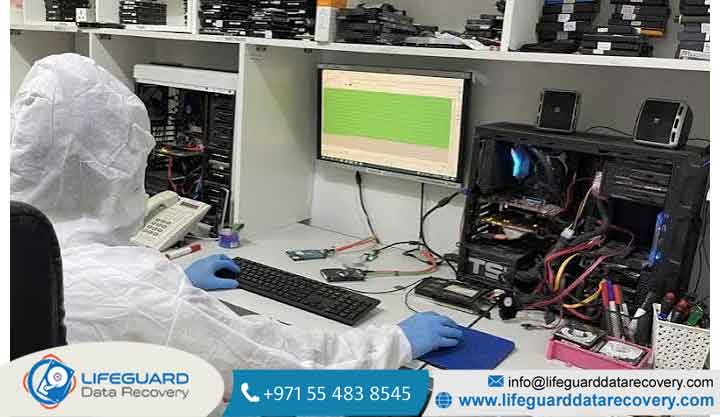
Physical media requiring mechanical repair (actuator motor replacement, head assembly replacement, platter transplants) must be opened inside an ISO-certified cleanroom environment. Transport physical drives inside anti-static bags, secured by shock-absorbent foam enclosures, to prevent physical handling damage during courier transit.
Class 100 ISO Cleanroom Labs and Physical Hardware Capabilities
A true best RAID recovery company UAE facility maintains an on-site ISO 5 (Class 100) cleanroom environment. Cleanroom air filters remove airborne particles down to 0.5 microns. Opening modern hard drives outside a certified cleanroom risks dust contamination on delicate magnetic platters, leading to read/write head crashes and permanent data destruction.
Data Security Standards, NDAs, and Local UAE Regulatory Compliance
Enterprise data recovery involves handling confidential corporate files, financial ledgers, customer databases, and proprietary IP. Ensure your provider offers:
Legally Binding NDAs: Non-Disclosure Agreements executed under UAE legal jurisdiction prior to media handover.
Regulatory Alignment: Adherence to UAE Federal Decree-Law No. 45 of 2021 regarding Personal Data Protection (PDPL).
Secure Data Handling: Encrypted storage servers for recovered file extraction and secure wiping of temporary work images post-delivery.
On-Site Evaluation, Emergency Turnaround, and Pick-Up Coverage Across Emirates
Look for providers offering dedicated emergency response SLAs (24/7/365 availability) with swift pickup and delivery logistics across all seven Emirates.
Regional Coverage: Professional Services Across the Emirates
For corporate entities and public institutions across the country, localized service logistics ensure fast response times during critical data loss events.
On-Site & Emergency Response in Dubai Financial & Tech Hubs
Businesses operating within Downtown Dubai, DIFC (Dubai International Financial Centre), Business Bay, Dubai Internet City, and JLT require rapid incident turnaround times. Top-tier providers offer rapid media pickup within 60 to 90 minutes across Dubai business districts, paired with 24/7 emergency lab evaluation options for high-priority enterprise server volumes.
Enterprise & Government Server Recovery in Abu Dhabi
Organizations, government entities, and enterprise entities based in Abu Dhabi, Al Maryah Island, and Yas Island require strict security compliance. RAID data recovery Abu Dhabi logistics focus on chain-of-custody protocols, secure transport vans, and compliance-first data extraction procedures tailored for sensitive institutional storage arrays.
Pick-Up and Diagnostic Coverage in Sharjah, Ajman, and Northern Emirates
Businesses located in industrial areas and free zones across Sharjah, Ajman, Ras Al Khaimah, and Fujairah benefit from regional courier services and remote diagnostic evaluations. RAID recovery Sharjah and RAID data recovery Ajman services ensure that off-site storage arrays can be collected, evaluated in a central cleanroom facility, and returned safely without logistical delay.
Essential Strategies to Prevent RAID Data Loss
While RAID provides operational uptime during single-drive failures, RAID is not a backup system. Implementing comprehensive storage governance prevents catastrophic data loss.
Routine S.M.A.R.T. Monitoring, Hot-Spare Setup, and Drive Age Rotation
Automate S.M.A.R.T. Checks: Configure automated daily S.M.A.R.T. logs to alert sysadmins to early sector degradation, temperature spikes, or read retry events.
Configure Dedicated Hot Spares: Assign an active, unallocated disk within the chassis configured as a hot spare. Upon drive failure, the controller immediately begins rebuilding parity onto the hot spare without manual delay.
Stagger Disk Replacements: Avoid buying all member drives from the exact same manufacturing batch. Disks manufactured on the same line at the same time share identical wear lifespans, increasing the risk of multiple simultaneous disk crashes. Replace aging member drives proactively every 3 to 5 years.
Frequently Asked Questions (FAQs)
1. How much does RAID data recovery cost in the UAE?
RAID data recovery pricing depends on several technical factors, including:
The required turnaround speed (standard vs. emergency 24/7 priority service).
Most reputable RAID data recovery specialists UAE laboratories provide a diagnostic assessment and a fixed-price quote prior to beginning recovery work, typically operating under a “No Data, No Fee” policy framework
2. Can data be recovered from a RAID 5 array with 2 failed drives?
Yes, data can be recovered from a RAID 5 array with two failed drives, but it requires professional laboratory extraction. Since RAID 5 parity can only reconstruct data for a single missing drive, losing a second drive breaks the array configuration To perform recovery, engineers must extract physical disk images of both failed drives inside a cleanroom environment (repairing mechanical read heads or PCB boards as necessary). Once image reads are secured, engineers manually rebuild the array parameters virtually using the surviving disk images.
3. How long does professional RAID server recovery usually take?
Recovery turnaround times depend on the failure type and capacity Logical Recovery (Corrupt Volume Controller Errors): 12 to 36 hours Physical Hardware Recovery (Mechanical/Electrical Failures): 2 to 5 business days, depending on spare part availability (donor drives) Emergency Priority Services: 24 to 48 hours for mission-critical enterprise systems using continuous 24/7 lab shifts.
4. Will attempting a rebuild destroy existing data on a degraded array?
Yes, initiating a controller rebuild on a degraded array carries risk. Rebuilding requires reading every sector across all remaining member drives at 100% stress levels for extended periods. If a secondary drive contains unreadable sectors or is near physical mechanical failure, the intense I/O stress can cause that drive to crash mid-rebuild, collapsing the entire array.
Always create sector-by-sector clones of all surviving drives before attempting an in-place controller rebuild.
5. Is on-site RAID data recovery available for sensitive enterprise servers in Dubai and Abu Dhabi?
Yes. Many government institutions, financial firms, and enterprise organizations operate under strict compliance policies that prohibit physical media from leaving their facilities. Specialized professional RAID recovery UAE engineers offer on-site data recovery services equipped with portable forensic imaging workstations, allowing clone creation, parameter extraction, and volume reconstruction to take place entirely within the client’s secure server environment.


